
One moment changes everything when paper ledgers start failing. A shopkeeper once counted only on buttons that click, now faces screens glowing with more than sums. Not merely faster math draws attention – instead, patterns in daily sales begin whispering secrets. Old routines comfort like worn wood shelves; yet fresh tools organize chaos without shouting. Each day, time leaks through fingers using machines meant for one job years ago. What used to be enough slowly feels hollow. New options do not simply calculate – they track, remind, adjust. The weight of inventory shifts when visible at a glance. Decisions gain sharper edges when based on real movement, not memory. Familiarity has value – but blindness
costs more.
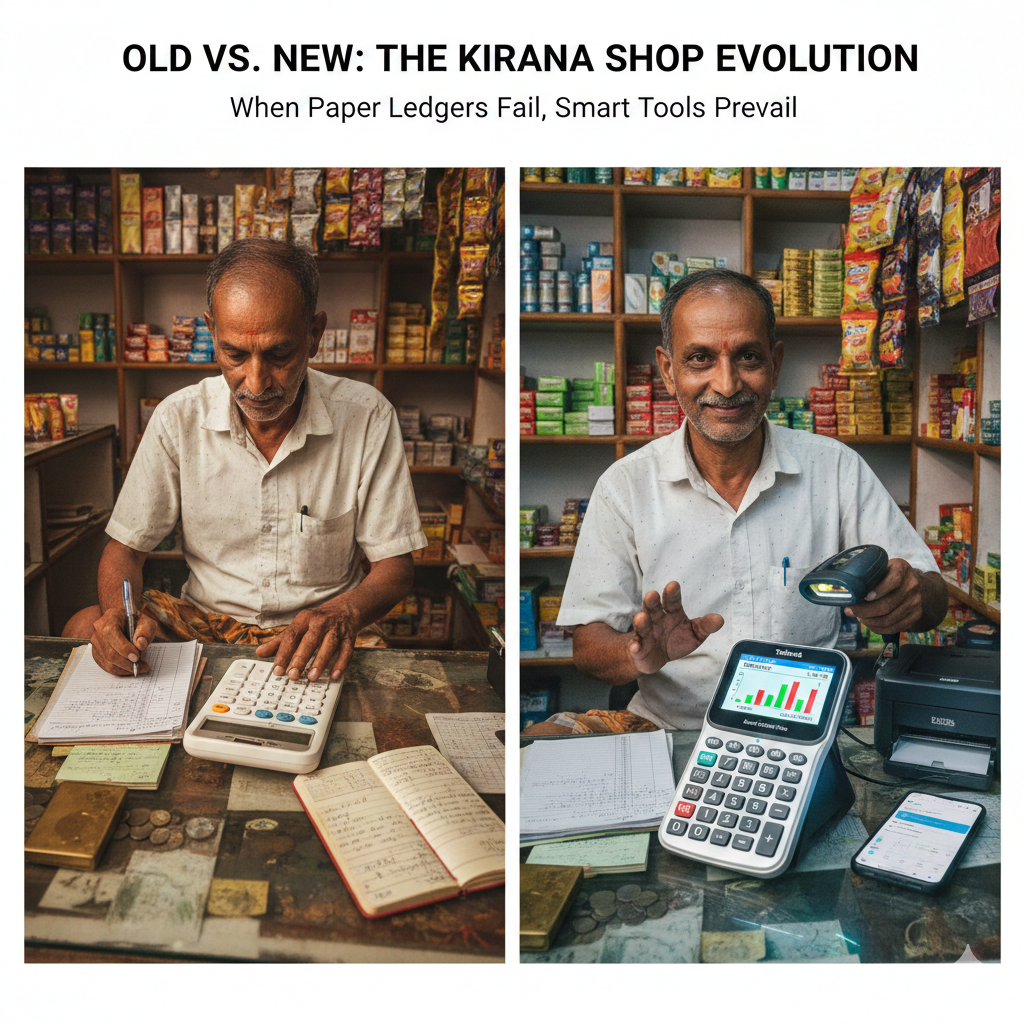
Desktop vs. Smart Calculator: A Feature Comparison
Below, a closer look at what sets each option apart for your Kirana shop. Differences emerge clearly when examined side by side.
Read Also : https://ahadtech.in/advanced-calculator-tool-how-use-this-guide/
Traditional Desktop Pocket Calculator Versus Modern Smart Calculator Like Tohands V5 Silver
| Feature | Traditional Desktop Calculator | Modern Smart Calculator |
| Core Function | Computing numbers using basic operations like addition, subtraction, multiplication, division. | Handling tasks beyond math – supporting organization of company activities through systematic processing. Instead of focusing only on figures, it integrates workflows, tracking, planning into daily operations. |
| Primary Use | Simple calculations. A few include features like storing numbers or finding square roots. | Keeping tabs on income and costs, handling stock and transactions, producing company summaries while delivering smart analysis through artificial intelligence. |
| Inventory Management | Without built-in tools, tracking inventory means using a paper logbook or manual system. | On the contrary, integrated features support real-time updates of available items. While basic setups lack automation, advanced systems offer compatibility with scanning devices. Instead of relying on handwritten notes, digital options store data directly within the platform. A standalone approach requires extra effort; meanwhile, native functions reduce errors through automatic logging. |
| Reporting and Records | Each time you calculate, it begins from zero – no past records saved at any point. | Past transactions stay recorded without extra steps taken by user. With one click, reports appear showing totals for each day, week, or month period. |
| Credit Tracking (Udhaar) | Keeping track of credits proves tough when depending on memory or scraps of paper that often disappear. | Using a structured system makes oversight easier, cutting down on missed payments by keeping records clear. |
| User Experience | Simple to operate. Needs no instruction. | Built using MAYA – most advanced, yet acceptable. Feels recognizable. Learning it comes naturally, accessible even when digital skills are limited. |
| Connectivity | Standalone operation defines its core setup – no connectivity needed at all. | While disconnected by design, it functions without internet access. Yet when linked, information moves to a phone application automatically. Occasionally, external tools like scanners or printers join the workflow. Even without constant links, updates transfer once connection returns. |
| Power Source | Some models run on long-lasting batteries that can last several years, while others rely on solar power or standard cells. | A rechargeable option is built into certain units, suited for everyday work at job sites. |
| Durability | Lasting strength marks one clear advantage – these units withstand heavy daily use over time. | Though designed to handle constant activity on busy workstations, their resilience as intricate electronics remains uncertain beyond a few seasons. |
| Price Point | Spending less marks the first option – typically between ₹200 and ₹1,500 – with cost paid just once. | Meanwhile, the second demands more money up front. Earlier, people reserved it for about ₹3,000; today’s rate might differ. |
Traditional Calculator: A Reliable Tool
One tool stands out in small grocery shops across years of daily trade: the basic calculator. Built only to add and subtract, it demands nothing more than button presses. Power on, type numbers, get results – no instructions needed. Often found beside cash trays, it never freezes or asks for updates. Attention stays sharp because there is no learning curve, just arithmetic. A single purpose means fewer errors during busy moments. Even when phones offer dozens of apps, many still reach for this steady device first.
Still, the drawbacks matter greatly when stores compete for customers. Yet the person running the shop has to manage these challenges despite them:
- Maintain a separate physical ledger or notebook for accounts.
- Tracking customer credit through memory or paper notes often leads to mistakes.
- By hand, add up figures after work ends to see if money was gained or lost. Some days this shows a shortfall instead – other times, extra remains. Numbers shift; watching them closely reveals patterns over time.
A shop working with small profits might overlook waste caused by hands-on tasks. Yet hidden costs often pile up when routines stay off autopilot.
Smart Calculator Helps Small Shops with Numbers
Smart calculators today, such as the Tohands Smart Calculator V5 Silver, respond directly to problems faced by small shops across India. Though they look like regular calculators, their inner workings support complex shop operations. Familiar shape meets upgraded function without overwhelming users – a balance known as the “MAYA” idea. That term stands for Most Advanced Yet Acceptable. Behind simple buttons lies thoughtful design meant to fit smoothly into daily routines.
A major benefit? It brings digital tools into play while leaving daily routines untouched. For instance, someone running a store continues their usual math on paper or mentally – yet the system quietly captures data underneath. No need to adjust how things are done; the technology just follows along, recording inputs without disruption.
- Automated Logging: A single entry captures each transaction digitally. Following that, costs get logged automatically. Afterward, income flows into the system without delay. Meanwhile, records stay updated in real time. Then again, accuracy improves with consistent input. Over time, patterns begin to show clearly.
- Inventory Control: With each sale, stock levels update automatically – more accurate when using a barcode reader. Movement of goods reflects instantly, reducing guesswork over availability. As customers buy, counts adjust in real time. Scanning speeds up entry, cutting errors during checkout. Every transaction shifts the total on hand. Accuracy improves if scanning supports the process. Records stay current because updates happen immediately after purchase.
- Insight and Trends: From time to time, certain items stand out in sales data – revealing patterns that guide smarter choices. These signals help reduce waste by showing where performance lags. Trends emerge not through guesswork but observation of what moves off shelves fastest. Insight comes quietly, often hidden within routine numbers. Loss prevention grows easier when focus shifts toward real behavior instead of assumptions.
- Remote Oversight: From a distance, the system supports oversight so shop owners view transaction summaries regardless of location. Control stays possible without physical presence nearby. Reports become accessible remotely at any time. Monitoring continues smoothly while absent. Data remains within reach beyond the storefront.
A shift toward hardware upfront closes the distance separating classic retail setups from today’s analytics-powered operations, giving managers faster workflows and sharper oversight.
Which One Should You Choose?
Whatever matters most to the shopkeeper shapes that decision. Goals steer which path fits best.
A basic calculator works well when simplicity matters most. For straightforward math tasks, durability often counts more than features. When paper records already fit your routine, upgrading may add little value. Cost plays a role too – lower price points help stretch budgets further. Automation feels unnecessary to some users. Physical buttons withstand daily wear better than screens do. Some prefer tools that require no learning curve. Reports generated by software matter less in certain workflows. A non-digital approach suits those who trust handwritten entries. Value shows up not in functions, but in reliability.
When numbers tell stories, clarity follows. A Smart Calculator helps spot patterns behind daily transactions instead of just adding totals. Because errors hide in unpaid tabs or missing inventory, this tool cuts through guesswork. Time once spent counting cash at closing now feeds insight – like knowing which items move fastest. Designed for those who use phones for orders but hesitate before spreadsheets, it bridges comfort and progress. Not flashy, never overwhelming, the machine works quietly while learning happens steadily. Think of it as stepping stones rather than a leap into software chaos.
Final Verdict
Functionality shifts the balance when comparing desktop and handheld calculators for small retail shops. A newer option – the smart calculator – steps into the conversation, not by undercutting costs or ease of use, but through added features that support daily operations. Though basic models remain cheaper and simpler, this upgrade offers tools that influence how well a shop runs. Business performance gains become possible where calculation meets organization.
Should the Kirina shopkeeper aim to shift how things are done, cutting down on routine tasks while seeing money matters more clearly, then a clever calculator does far more than help – it reshapes what comes next. A device like that changes the rhythm of daily work, quietly opening doors once stuck shut.
Perhaps this breakdown gives clarity for your choice. If budget shapes your path – what matters more: cost limits, or tools such as stock monitoring tailored to your shop?

Ahad Tech is a proper website name which is run by Mohammad Abdul Ahmed and in this website you show proper guide step by step to all exclusive content because i have experience of 13+ years of web development field and proper coder. we strive to turn our passion for Technology, Educational & Information into a thriving website to help people with daily needs.